See deleted messages
Seeing “This message was deleted”? If the notification arrived first, the text is still in NotiKeep.
NotiKeep is an iPhone app that saves the text of notifications from the apps you choose, like WhatsApp, and organizes everything by app and conversation. Read them later without opening the chat, even if the message was deleted.

Free to download.
Requires iOS 27 or later.
iPhone apps can’t read each other’s notifications. iOS 27 changed that with the Notification automation in the Shortcuts app: it runs when an app you chose sends a notification and passes the content to another app. NotiKeep uses this automation, which is why it only saves what arrives after setup.
Open NotiKeep and tap Add to Shortcuts. The Salvar no NotiKeep shortcut comes ready to use.
In Shortcuts, open the shortcut, tap Edit and then the trigger’s arrow, and turn on Automation. WhatsApp is already selected; add other apps if you want.
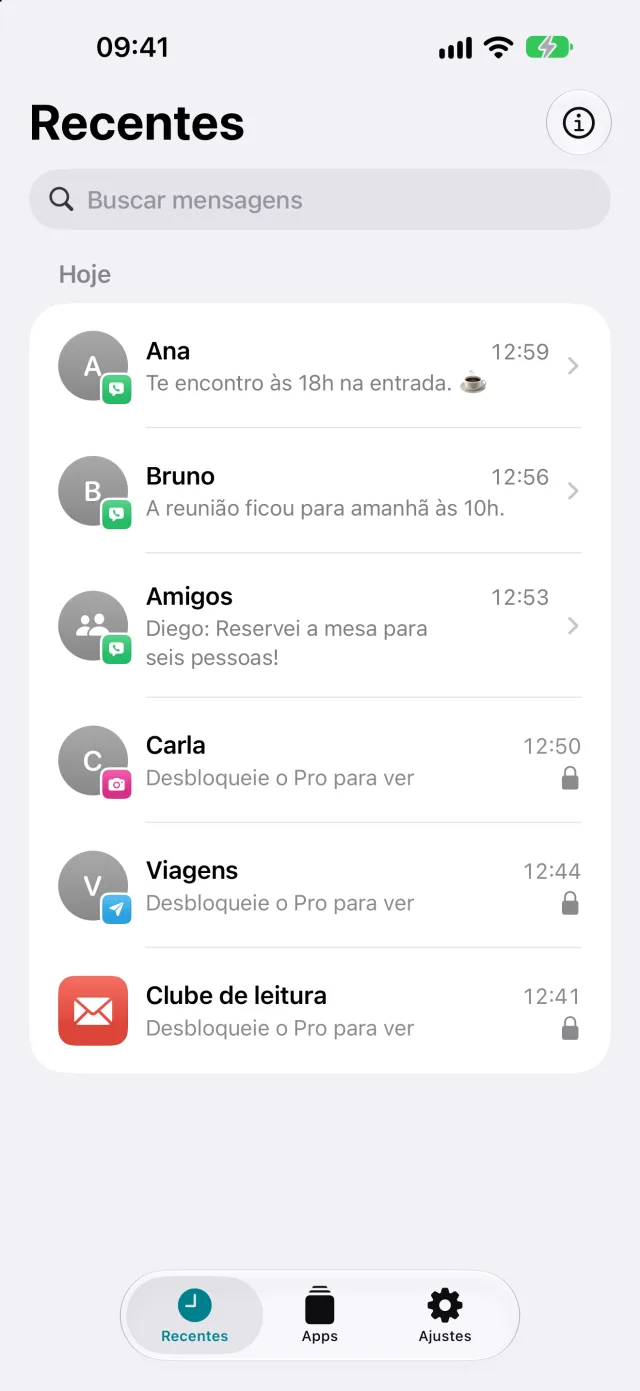
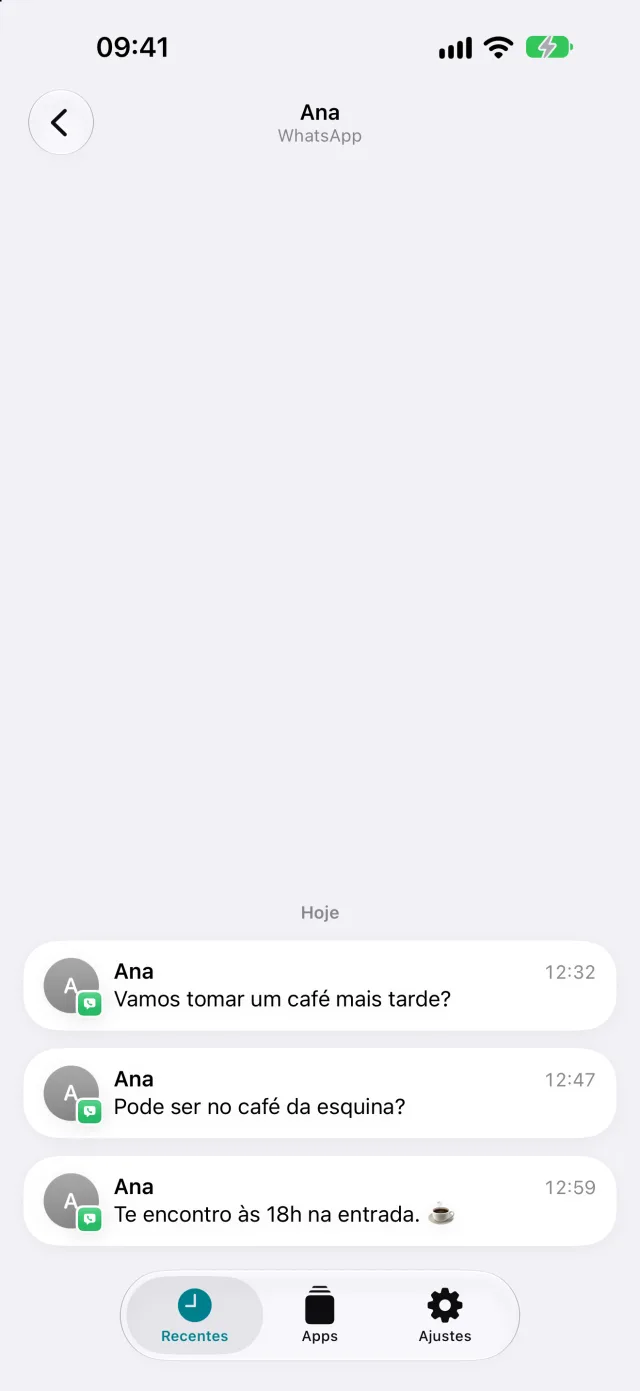
Every notification from those apps is saved in the background within seconds. Open Recents to read by conversation, or search for a word.
Available in NotiKeep 1.1, in English, Portuguese, and Spanish. Items marked Pro are part of the subscription; everything else comes with the free download.
Glimpsed a notification and then it was gone? With Pro, Show Latest Notification brings the latest saved message back in a NotiKeep notification. Tap it to open the conversation in NotiKeep.
NotiKeep relies on the Notification automation in Shortcuts, which only exists in iOS 27 and later. It doesn’t work on earlier versions of iOS, on any iPhone.
To check your version, open Settings › General › About. To update, go to Settings › General › Software Update.
iPhone XR, XS, XS Max, and earlier can’t get iOS 27 and can’t run NotiKeep. Apple’s official list.
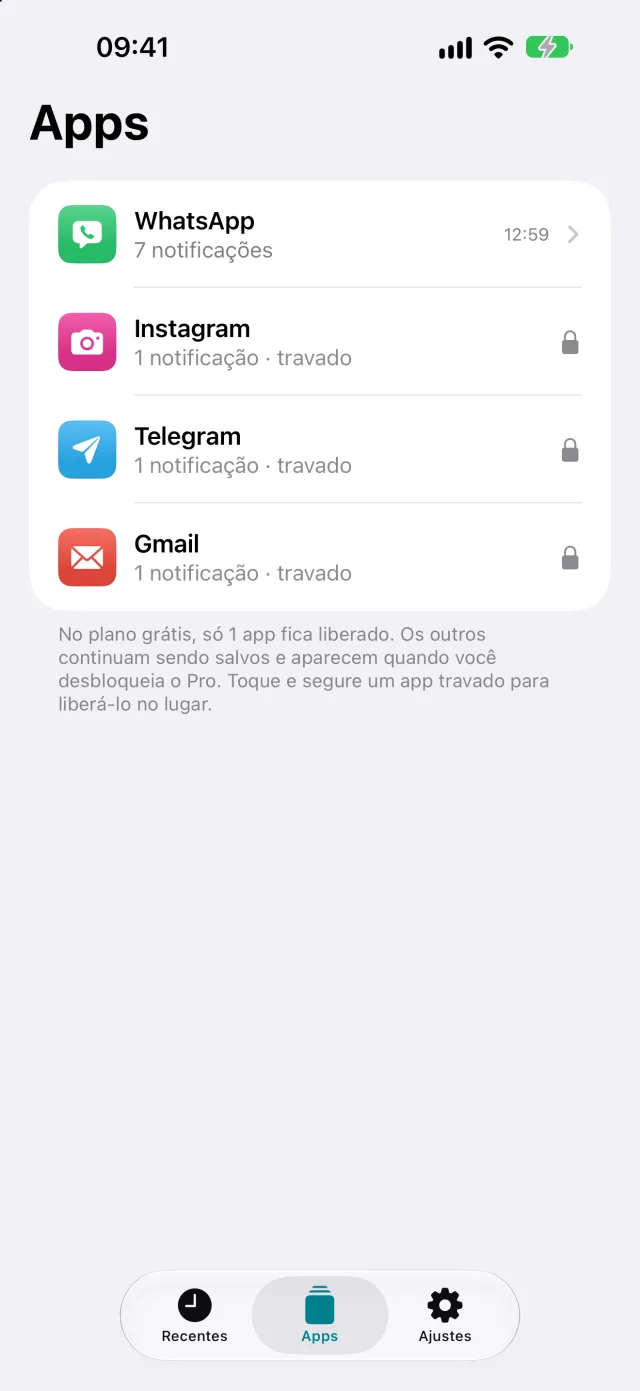
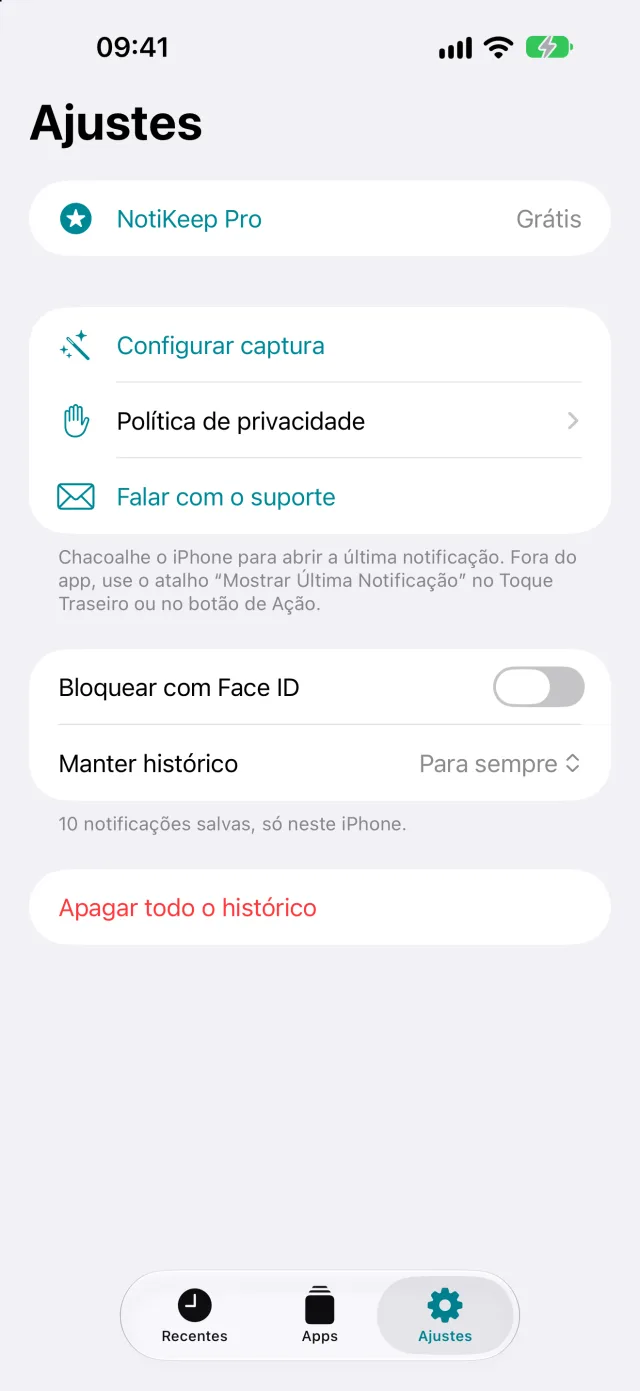
Real NotiKeep screens, shown in the Portuguese version, with fictional conversations.
Seeing “This message was deleted”? If the notification arrived first, the text is still in NotiKeep.
Read in NotiKeep without opening WhatsApp: no blue ticks and no “online” status.
Your iPhone forgets the notifications you clear. NotiKeep keeps a searchable history.
WAMR and Notisave aren’t available for iPhone. Here’s what works starting with iOS 27.
What the Notification trigger passes along, what it leaves out, and how to build the shortcut from scratch.
Previously captured text stays saved. Learn when an edited message may also arrive as a new notification.
Use the Action Button, Back Tap or Siri to read the latest saved message.
Before iOS 27, only the first three existed, and none of them keeps the text of a notification after it disappears.
| Method | Kept after the notification is gone? | Keeps the text of a deleted message? | Limitation |
|---|---|---|---|
| Notification Center | No | No. In our tests, WhatsApp removes the notification when the message is deleted for everyone. | Disappears when you open or clear the notification. |
| WhatsApp iCloud backup | Yes, up to the backup date | Only if the backup was made before the deletion | Restoring requires reinstalling WhatsApp, and your chat history goes back to the state of the backup. |
| Android apps like WAMR | Not available for iPhone | They rely on notification access that iOS doesn’t offer. | |
| NotiKeep, with iOS 27 | Yes | Yes, the text that arrived in the notification | Only what arrives after setup. No photos or audio. |
NotiKeep only saves what iOS passes to Shortcuts. That means:
Notifications are kept in the app’s storage on the device and never go to a server. There’s no account and no ads.
Usage data is optional: the app only sends it if you allow it, and it never includes messages, names, source apps, or searches. You can lock the app with Face ID or a passcode, choose how long to keep your history, and delete everything whenever you want.
Free
The history of one app of your choice, with no time limit. Includes search, manual labels, bulk select and delete, JSON export, and the daily summary. Other apps keep being saved and show up when you subscribe.
Monthly or yearly
subscription
All apps, including what was already saved. Favorites, advanced search by app, conversation, and date, and CSV and PDF export. 7-day free trial for eligible accounts. If your subscription ends, nothing is deleted.
The App Store shows prices in your local currency, and Apple handles billing. The subscription renews automatically until you cancel it in iPhone Settings, at least 24 hours before the end of the current period.
Yes. The shortcut comes with WhatsApp selected, and capture was tested with WhatsApp on an iPhone running iOS 27. NotiKeep saves the sender, group name, text, and time of every notification.
You can see the text of messages that arrived as a notification after you set up capture. If the sender deletes a message for everyone, the text stays in NotiKeep. iOS doesn’t signal when a message is deleted, so you can mark it as deleted in the app yourself; the original text stays saved. Nothing that arrived before setup can be recovered.
No. You read in NotiKeep without opening WhatsApp, so reading there doesn’t send a read receipt or show you as online. When you open the chat in WhatsApp, it marks the messages as read as usual.
Only iPhones running iOS 27 or later. NotiKeep doesn’t work on earlier versions of iOS because the notification automation doesn’t exist there. iOS 27 runs on iPhone 11 and later, iPhone SE (2nd generation) or newer, and the iPhone 12 through 17 lineups, iPhone Air, and iPhone 18 Pro. iPhone XR, XS, and earlier can’t get iOS 27.
Because it uses the Notification automation in the Shortcuts app, which arrived in iOS 27. Before that, no iPhone app could receive another app’s notifications.
Yes. You choose the apps in the Shortcuts trigger, and NotiKeep saves the text each app puts in its notification. The detailed tests of deleted and edited messages were done with WhatsApp.
No. iOS only passes the notification text to Shortcuts. Photos, videos, audio, and profile photos aren’t saved.
No. Notifications stay on your iPhone only. NotiKeep has no account and no ads. If you allow it, it sends usage data (in-app actions, language, version, and a random identifier) to PostHog, never messages, names, source apps, or searches. You can turn this off in Settings › Share usage data.
Yes. JSON export is free; CSV and PDF are part of NotiKeep Pro. The file stays on your iPhone until you choose where to share it.
The download is free, and the history of one app stays unlocked with no time limit. NotiKeep Pro unlocks all apps, favorites, advanced search, and CSV and PDF export with a monthly or yearly subscription, with a 7-day free trial for eligible accounts. The App Store shows the price in your local currency. If your subscription ends, nothing is deleted.
English, Portuguese, and Spanish. The app follows your iPhone’s language.
No. It’s an independent app made by Gustavo Takechi. It uses a public feature of the Shortcuts app and doesn’t access your WhatsApp account or chat history.

Everything that arrives after setup is saved on your iPhone. Requires iOS 27 or later.